
MyMountSinai
Mount Sinai Health SystemMedical
4.51.34K Reviews
- Version
- 11.8.3
- Installs
- 100.00K
- Age Rating
- Everyone
Screenshots
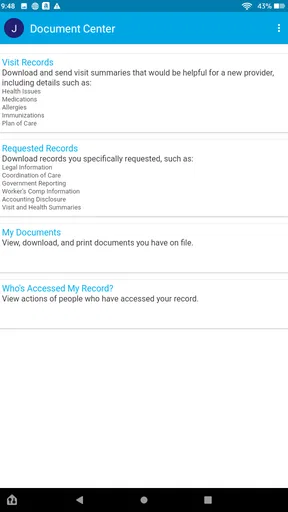
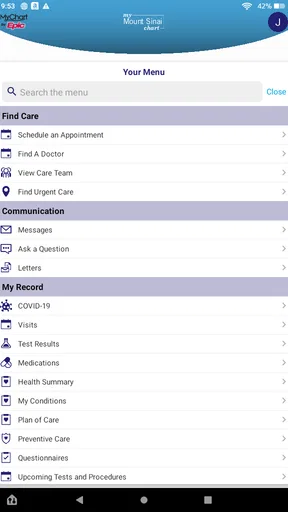
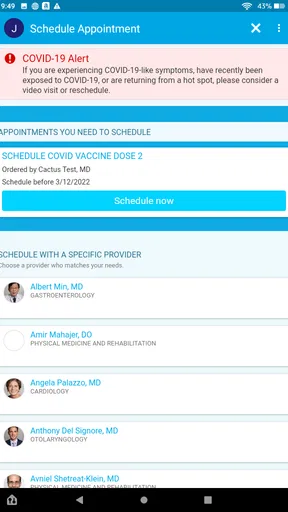
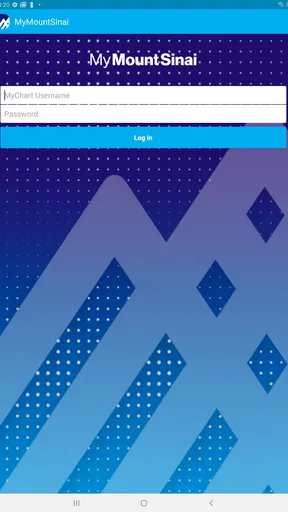
Our Review of MyMountSinai
 Analysis by Appyee
I found MyMountSinai most useful when I treated it as a digital front door to Mount Sinai Health System rather than as a general medical app. Its purpose is to bring health-system tasks into one place, which can be much more convenient than moving between phone calls, paper reminders, and separate web pages. The app is free, aimed at everyone, and developed by Mount Sinai Health System, so its value depends less on entertainment or extra tools and more on whether you already use Mount Sinai services.
That distinction matters. A free medical app is not automatically useful to every patient. If your appointments, records, and care are connected to Mount Sinai, having a central mobile access point can reduce everyday friction. If you receive care elsewhere, the app is unlikely to replace your provider’s patient portal or offer much reason to keep it installed. In my view, the strongest case for it is practical: it puts health-system information and actions closer at hand when you need them.
My experience with the Mount Sinai patient app
I found the app most useful to think of as a dedicated entry point to Mount Sinai care, not as a general-purpose health tracker. In this section, I’ll look at what that focused role means in everyday use and why its usefulness depends on a patient’s connection to the health system. That distinction also sets up a closer look at the practical workflows and trade-offs that follow.
A focused medical companion rather than a general health tracker
MyMountSinai belongs in the medical category, but I would not compare it directly with fitness trackers, symptom diaries, medication reminder apps, or emergency reference tools. Those products try to follow your health broadly. This one is tied to a specific care network. That makes it narrower, but also more relevant for people whose medical life already runs through Mount Sinai.
The store summary presents it as the Mount Sinai Health System in one spot, and that is the right way to understand the experience. Instead of expecting the app to diagnose a problem or replace a clinician, I would use it for patient-side organization: checking the information associated with care, handling routine interactions with the health system, and keeping important medical tasks accessible from a phone.
That focus is a strength because medical administration is often scattered. A patient may have one place for appointment details, another for messages, a separate process for records, and a phone number saved in contacts for questions. A single health-system app can make those steps easier to remember. The trade-off is that its usefulness is tied to the relationship between the patient and Mount Sinai, not simply to the phone on which it is installed.
What the free price really means
MyMountSinai is free to download and use, so there is no purchase decision in the usual sense. I would not evaluate it by asking whether it offers enough entertainment or premium content for the price. The more useful question is whether free access saves enough time and effort for a Mount Sinai patient to justify keeping it available.
For someone already receiving care through the system, the free model is a meaningful advantage. There is no separate app fee competing with medical expenses, and a patient can try it without committing money. That makes it reasonable to install before an appointment, during a period of ongoing care, or when managing several health-related tasks at once.
Free access does not mean the app is universally valuable. It still depends on having a practical connection to Mount Sinai services. I would skip it if I had no appointments, records, or other reason to interact with that health system. In that situation, a provider-neutral health tool or the portal connected to my actual clinician would be a better use of storage and attention.
Where the value appears in everyday use
The clearest value appears when a medical task is important but not urgent. Imagine receiving an appointment reminder while commuting. Instead of waiting until you get home to search through email or paperwork, you can open the health-system app and deal with the information while it is still on your mind. That small reduction in searching can be useful, especially when several appointments or family responsibilities overlap.
I also see value for people who prefer a phone-based record of their healthcare relationship. Paper documents can be misplaced, and browser bookmarks are easy to forget. A dedicated app gives the patient a recognizable starting point. The benefit is not that it makes healthcare simple; it is that it can make the administrative side less fragmented.
Another practical use is preparing before contacting a care team. I would first check the app for the relevant appointment or patient information, then gather the question I actually need answered. That habit can make a phone call or message more focused. It also reduces the chance of asking about a detail that was already available in the patient portal.
For caregivers, the value depends on how the account and care relationship are set up, so I would not assume that the app automatically solves family access. I would check the available account options and permissions directly rather than sharing personal credentials. That is a small but important privacy habit with any medical portal.
Useful workflows that are easy to overlook
One of the better ways to use MyMountSinai is as a preparation tool, not just a place to look things up after a visit. Before an appointment, I would open it early, review the information already associated with the visit, and write down questions separately. This avoids using the waiting room as the first moment to remember symptoms, dates, or concerns.
A second useful workflow is to make the app part of a recurring routine. Rather than opening it only when something goes wrong, I would check it after arranging care and again before the appointment. This helps catch changes or messages while there is still time to respond. The app is most valuable when it supports a habit of staying organized, not when it is treated as a last-minute emergency tool.
A third insight is that a patient portal should not be confused with a complete personal health archive. I would still keep an independent list of current medications, allergies, major diagnoses, and emergency contacts in a secure place. The app can support access to Mount Sinai-related information, but relying on one digital account for every detail of a person’s medical history is not a good backup strategy.
For people who manage care across multiple organizations, I would use MyMountSinai for the Mount Sinai portion and keep another method for information from outside providers. This split may feel less convenient than having one universal app, but it is more realistic than expecting a single health-system application to combine every record automatically.
How it compares with the usual alternatives
The closest alternative is usually a mobile browser opening a patient portal. A browser can be perfectly adequate, especially for someone who visits a portal only occasionally or does not want another app installed. MyMountSinai has a clearer identity as a dedicated Mount Sinai access point, which may make repeated use feel more direct. The browser remains the better choice for a one-time task or for people who prefer not to keep medical apps on their phone.
Another alternative is handling everything by telephone. Calling can be preferable when a situation is complicated, urgent, or difficult to explain through a digital workflow. A phone conversation also helps when account access is not working or when the patient needs clarification from staff. The app is more convenient for routine, self-directed tasks, but it should not become a reason to delay a necessary call.
General health apps offer a different kind of value. A symptom tracker, medication reminder, or wearable companion may be better for monitoring habits over time. MyMountSinai is not the right replacement for those tools simply because it is a medical app. Its advantage is connection to Mount Sinai, not broad personal wellness tracking.
That comparison also explains why the app can receive strong user interest without being right for everybody. It serves a defined group well. The public store presence shows an average rating of 4.5 from around 3,100 ratings, with more than 1,000 written reviews and over 100,000 installs. Those figures suggest that many people find the app worthwhile, but they do not remove the central question: are you actually a Mount Sinai patient or caregiver with a reason to use it?
Where the experience may become frustrating
Medical apps carry more emotional weight than ordinary utility apps. When I open one, I may already be worried about an appointment, a result, or a family member. Any sign-in problem, unclear screen, or delayed information can feel more serious than the same friction in a shopping app. I would therefore judge MyMountSinai by its reliability during routine use, while remembering that the app cannot control every part of the healthcare process behind it.
The system-specific design is another limitation. Patients who see several providers may need to switch between portals, and MyMountSinai does not eliminate that broader problem. Keeping multiple accounts organized can still require patience. I would use a password manager and a consistent naming system for health apps rather than assuming that one portal will cover every provider.
There is also a difference between access and understanding. A portal can place medical information in front of me, but it does not automatically explain what every term means or tell me what action is appropriate. I would avoid interpreting a concerning result alone when a clinician’s guidance is needed. The app is a communication and organization aid, not a substitute for medical judgment.
Notifications deserve a thoughtful approach too. I would enable the alerts that help me respond to appointments or messages, but I would review how sensitive information appears on the lock screen. A shared phone, family environment, or workplace can turn a convenient notification into an accidental disclosure. The right balance depends on the user’s privacy needs, so I would adjust notification visibility rather than accepting every default without checking.
Who will get the most from it
I think MyMountSinai is a strong fit for an active Mount Sinai patient who wants a central place for routine healthcare administration. It is especially sensible for someone with recurring appointments, ongoing treatment, or several interactions with the health system. In those cases, the app can become a familiar starting point instead of another forgotten download.
It may also help a person who is comfortable using a smartphone but dislikes managing medical tasks through scattered emails and phone calls. The free price lowers the barrier to trying it, and the Everyone content rating makes it suitable as a general patient-facing tool rather than an age-restricted product.
Family members assisting with care may find it useful when the relevant account arrangements support that role. I would still confirm exactly whose information is visible and who is authorized to act. Convenience should never come from bypassing privacy boundaries, particularly when a phone is shared between relatives.
I would skip it if my healthcare providers are outside Mount Sinai, if I rarely need digital access to care information, or if I am looking for a universal health dashboard. I would also choose a direct conversation with a clinician or urgent medical service when the issue is time-sensitive. No patient portal should be treated as an emergency response channel.
Compatibility, maturity, and what to expect
The app was released on August 4, 2021, and the current version is 11.8.3. It requires at least iOS 11, which gives it a relatively broad compatibility range for Apple devices that still meet that requirement. That matters for patients who do not replace their phone frequently, although the practical quality of any medical app also depends on keeping the operating system and application updated.
Its presence on the store, an average rating of 4.5, and more than 100,000 installs indicate that it is not an obscure experiment. Still, I would not read popularity as a guarantee that every workflow will feel effortless on every device or for every patient. Healthcare accounts can differ, and the experience may depend on what services and records are connected to an individual profile.
Before an important appointment, I would install or update the app well in advance rather than in the parking lot. I would sign in, check that I can reach the relevant account area, and keep an alternative contact method available. That simple preparation avoids making a medical visit depend entirely on a new installation or a forgotten password.
My final recommendation
MyMountSinai delivers its best value through free, focused access to Mount Sinai’s digital patient experience. I would recommend it to people who actively use Mount Sinai Health System and want a more convenient way to organize routine care-related tasks on an iPhone. It is not a universal health manager, a diagnostic service, or a replacement for direct medical help, and expecting it to be those things would lead to disappointment.
For the right patient, the app can reduce the small but repeated annoyances of healthcare administration: searching for information, remembering where a task belongs, and preparing for an appointment without relying entirely on paper or phone calls. My advice is to install it before you need it, test the account access calmly, review privacy settings, and keep independent emergency and medication information available.
My verdict is simple: if Mount Sinai is part of your care, the free download is easy to justify and may become a useful daily healthcare companion. If it is not, skip it and choose the portal or health tool connected to your actual needs. The app’s value is not in trying to serve everyone; it comes from putting the right health-system tools in one familiar place for the people who can genuinely use them.
Verdict
Strengths of MyMountSinai
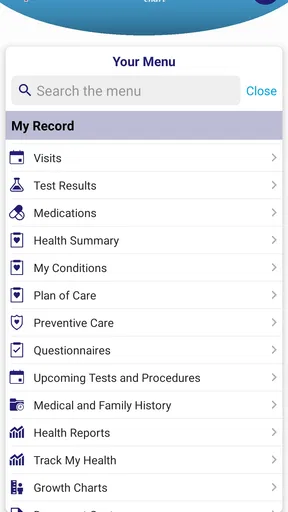
- Easy access to appointments, test results, and medical records in one place.
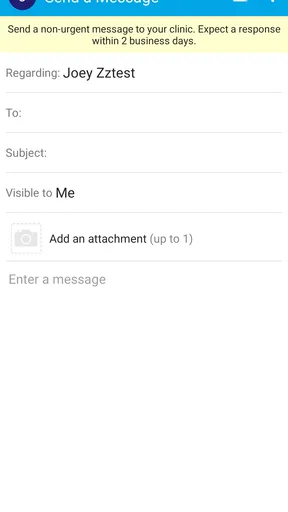
- Secure messaging makes it convenient to contact your Mount Sinai care team.
- Prescription refill requests can be submitted without calling the office.
- Useful telehealth options for eligible visits and follow-up care.
- Supports health tracking and appointment reminders for better organization.
Limitations of MyMountSinai
- Some features may only work for patients receiving care at Mount Sinai.
- Account setup can require identity verification and several personal details.
- Certain records or results may appear with a delay after your visit.
- The app may feel less useful if you rarely use Mount Sinai services.
- Notifications and video visits depend on a reliable internet connection.
Similar Picks in This Category
View All
WebMD: Symptom Checker
WebMD, LLC4.1

Microphone Amplifier
DOSA Apps4.2

Anatomy Learning - 3D Anatomy
3D Medical OU4.5

Period Tracker and Calendar
SimpleInnovation4.9

GoodRx: Prescription Coupons
GoodRx4.8

CVS Health
CVS Pharmacy4.5
Frequently Asked Questions
What is MyMountSinai, and what can I use it for?
MyMountSinai is the official patient portal app for Mount Sinai patients and caregivers. After signing in, you can review parts of your medical record, see test results, manage appointments, request prescription refills, message participating care teams, and check billing information. The exact features available may depend on your Mount Sinai location, provider, and account setup.
How do I create an account or sign in to MyMountSinai?
You generally need an active Mount Sinai patient portal account to use the app. Registration may require an activation code provided by the hospital or clinic, or identity verification using personal and medical information. Existing users can sign in with their portal credentials. If you cannot remember your password, use the recovery option, and contact Mount Sinai support if activation or verification does not work.
Can I schedule appointments and communicate with my doctor through the app?
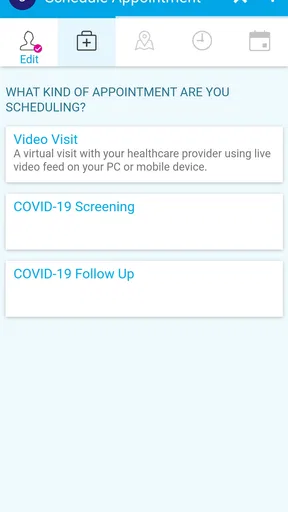
For participating Mount Sinai departments and providers, MyMountSinai can make appointment management more convenient. You may be able to request or schedule visits, view upcoming appointments, receive reminders, and cancel or reschedule when permitted. The app may also support secure messaging with your care team. It is not intended for emergencies, and response times for messages can vary.
Does MyMountSinai show test results, medications, and medical records?
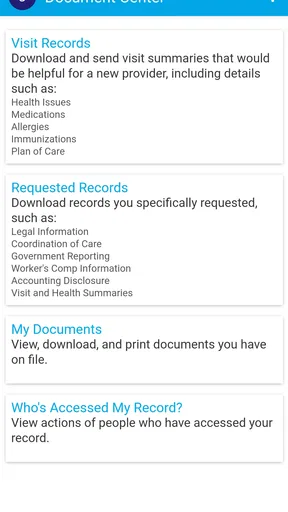
The app can provide access to available portions of your electronic health record, including laboratory results, visit summaries, medications, allergies, immunizations, and other clinical information. Results may appear at different times depending on the test and the facility’s release policy. Some information may be delayed, incomplete, or require discussion with your physician for proper interpretation.
Is MyMountSinai free, and is my health information secure?
MyMountSinai is generally available at no additional charge to eligible Mount Sinai patients, although normal mobile data or internet charges may apply. The app uses account authentication and secure connections to help protect personal health information. You should still use a strong password, enable device security, avoid sharing login details, and sign out when using a shared phone or tablet.
